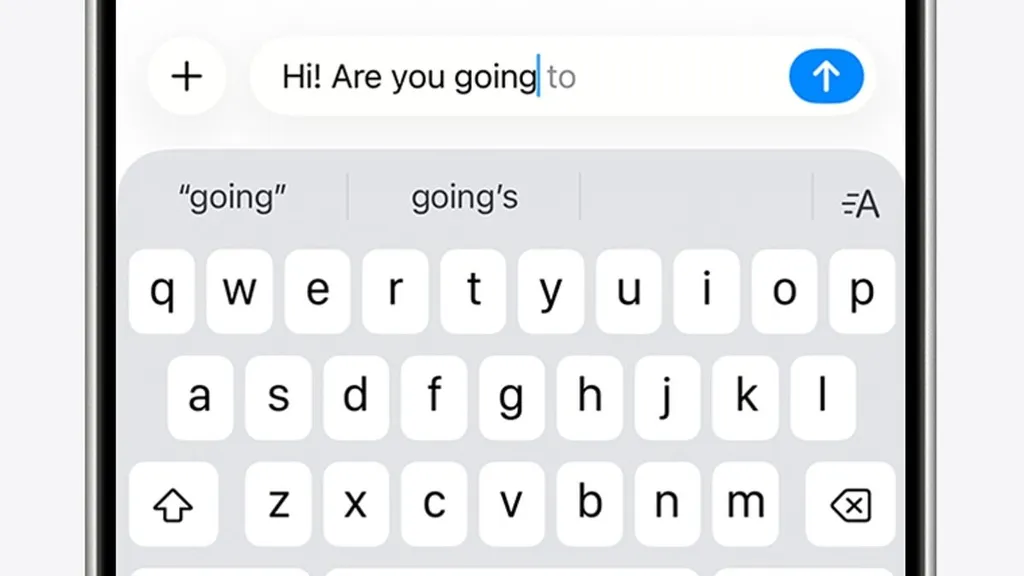
It's designed to make typing easier, but Apple's autocorrect function appears to have gone haywire for many iPhone users.
Taking to X this week, @_sorrengailll vented: 'Dear Apple, I don't know what is going on with your damn keyboard, but I have NEVER in the 19 years of owning iPhones, had to backspace, retype, start over, correct words as much as I am now! And what happened to autocorrect!? Is that not a thing anymore? Please fix this!'
Their tweet has had almost two million views, with many X users responding with their own issues.
'You're not alone, typing lately feels like fighting the keyboard. What changed behind the scenes?' one user replied.
Another added: 'I feel like I'm getting punked every time I type something.'
And one joked: 'Glad I'm not the only one, thought i was going crazy lol.'
Apple recently released its iOS 26.4 update, which it claims fixes many of these typing issues.
However, if you're still struggling to separate your 'duck' from 'f*', here's how you can reclaim your keyboard.
iPhones have two typing tools that are designed to make typing easier.
Firstly, there's autocorrect, which uses your keyboard dictionary to spellcheck words while you're typing, correcting misspelt words for you automatically.
There's also predictive text, which can write and complete entire sentences for you.
'While typing, you'll see choices for words and phrases you're likely to type next, based on your past conversations, writing style and even websites you've visited in Safari,' Apple explains.
The issues with these functions date back to December 2025, when Apple released its iOS 26.2 update to the public.
This update pushed autocorrect deeper into AI-driven predictions, but was widely panned by iPhone users.
At the time, a Reddit thread titled 'It's not just you, the iOS keyboard is broken' took off, with thousands of reports of issues.
In response, Apple released a fix at the end of March in the iOS 26.4 update.
How to set up shortcuts for words or phrases on your iPhone
With text replacement, you can set shortcuts to automatically become longer phrases or words.
When you enter the shortcut in a text field, your chosen word or phrase replaces it automatically. For example, you could type 'GM' and ‘Good morning’ would replace it automatically.
To manage your text replacements:
- In the Settings app, tap General.
- Tap Keyboard.
- Tap Text Replacement.
'Improved keyboard accuracy when typing quickly,' the notes cryptically explained.
However, based on the latest X thread, it seems the update hasn't quite done the trick.
'The power of AI is overtaking human typing now, it changes simple words like "love" to "live" and adds wrong phrases all the time,' one user explained.
Another said: 'Sometimes it changes a word and I have one heckuva time changing it. It's almost like my phone is insisting it's correct and it won't let me highlight it or move to the wrong letters to fix it. I end up tapping all over the place!'
And one joked: 'My flarovite is when it autocorrects a word that is correct into a word that isn't even a real word.'
The Daily Mail has contacted Apple for comment on the latest issues.
In the meantime, there are several things you can do to fix autocorrect problems on your iPhone.
Firstly, if you notice a recurring autocorrect fail, you can manually amend it within the keyboard settings.
- Open Settings > General > Keyboard > Text Replacement.
- There, type in your recurring fail, and what it should really be, and your iPhone will remember for next time.
You can also reset your personal dictionary and start fresh, by opening Settings > Reset iPhone > Reset Keyboard Dictionary.
Alternatively, if all else fails, you can turn autocorrect off entirely, by going to Settings > General > Keyboard, and toggling Auto-Correction off.